
Quick Answer: Office moves often stall not because of the truck, but because there is no sequence: no named owner per room, no labeling system, no IT disconnection plan, no day-of order of operations. A practical preparation plan covers five areas: confirming the timeline and building access, communicating with employees, preparing each workstation, protecting equipment, and coordinating the day-of sequence with movers and building management.
Once the new office address and date are locked in, the work shifts from planning to preparation. The next three to six weeks determine whether the team walks into a functioning workspace on day one or spends the first morning digging through unlabeled boxes for phone adapters and laptop chargers.
This guide walks through each phase of that preparation. It treats the office as an operating system with people, equipment, and workflow dependencies, not as a pile of items to load into a truck.
Why Office Move Preparation Is More Than Packing Boxes
The Real Cost of Unplanned Office Downtime
A single lost client-facing day from a disorganized IT setup can quickly erode the expected cost benefits of the move. Reception cannot answer phones. Sales cannot access the CRM. Accounting cannot pull files. When three departments go offline at once, the disruption compounds over the following days while clients pile up and staff burn goodwill trying to recover.
When an office move is under-prepared, the team often spends the first stretch at the new site opening boxes to find cables, adapters, and the one monitor that went to the wrong room. This is not just a packing failure. It is a preparation failure that happened weeks earlier, when no clear line was drawn between day-one essentials and items that could wait.
Employees, Equipment, and Workflow as Moving Assets
Every workstation, printer, conference room, and supply closet should have a named owner, a sequence, and a reassembly plan. Employees should know where the files live, which cables feed which machines, and what their team cannot operate without on the first morning. A move that treats these relationships as an afterthought can significantly increase the reassembly labor on the new site.
- People: Each employee has a desk, a role, and a set of day-one dependencies.
- Physical equipment: Monitors, printers, furniture, and specialized tools each have specific handling and placement needs.
- Workflow dependencies: Network connectivity, phone systems, and shared resources tie departments together in a sequence that must be preserved.
What a Practical Preparation Plan Should Cover
No single checklist fits every office. The plan scales with employee count, square footage, IT complexity, and building access rules. A five-tenant law firm needs a different sequence than a 40-person software office, but the core components stay the same.
- Confirm the move timeline and building access in writing
- Communicate the move to employees in two structured stages
- Prepare each workstation and shared space for packing and transport
- Protect and sequence equipment for disassembly and reassembly
- Coordinate the day-of sequence with movers and building management
A practical office move preparation plan covers these five areas before any box is packed. Skipping one creates gaps the other four have to absorb.
Start with the Big Picture Before Preparing Workstations
Confirm the Move Timeline and Building Access
Verify the exact move date with the landlord or property management at both the old and new location. Confirm whether the move falls on a weekday, weekend, or holiday window, and whether both buildings allow the same access hours. In downtown New Orleans buildings with shared elevator banks, freight elevator reservations often need to be requested in advance, and the access window is often a fixed block.
Document every confirmation in writing. An email thread, a portal request, or a signed work order becomes the record when the loading dock closes early or the freight elevator reservation conflicts with a tenant’s after-hours event. A local commercial moving service can also help confirm these details before they become a day-of problem.
Inventory Rooms, Desks, and High-Traffic Areas
Walk the current office room by room and list every desk, filing cabinet, printer, monitor, and shared resource. Flag the high-traffic areas that generate the most move-day friction: reception, conference rooms, break rooms, and any corridor where boxes will stage during loading.
Note items that are anchored or difficult to move. Server racks, built-in shelving, heavy copiers, and wall-mounted displays require early disassembly or specialist handling. If you wait until the week of the move to discover that the copier is embedded in a half-wall, the schedule shifts.
- Desks and seating per room or zone
- Printers, scanners, and shared equipment
- Anchored or built-in fixtures
- High-traffic shared spaces (reception, conference, break room)
Photograph each room as it stands. These photos become the reassembly reference on the new site and save time when the crew is placing furniture and equipment.
Decide What Moves Immediately and What Can Wait
Create a two-column sort before any packing begins. Day-One Essentials are items the team needs on the first working day or within the next 24 to 72 hours: IT infrastructure, reception supplies, client files needed on day one, and any safety or compliance equipment required to occupy the space. Everything else is “Can Wait”: archive boxes, seasonal decor, surplus chairs, backup equipment, and materials not needed until later in the week.
- Day-One Essentials: Monitors, keyboards, phone systems, CRM-accessible workstations, reception sign-in materials, client files needed on day one, key safety equipment.
- Can Wait: Overflow archive boxes, files not needed until later in the first week, surplus seating, decorative items, backup printers, trade-show materials, seasonal supplies.
Label each box with a priority tier: 1 for Day-One, 2 for Week-One, 3 for Later. This decision determines whether the unloading crew places critical items first or spends the early period sorting through the full inventory. If the new office is not fully ready on move day, overflow goes to a staging area or short-term storage unit instead of the hallway.
How to Prepare Employees for an Office Move
Communicate Enough, Not Too Early
Announce the move to the full team three to six weeks before the date, once the address and timeline are confirmed. Announcing before the details are firm can create a second round of changes and erode confidence in the next update.
- New address and expected move date
- Expected downtime window (half-day, full day, partial week)
- Name of the internal move coordinator
- Timeline for when packing instructions will follow
Follow up one to two weeks before the move with a second communication that assigns responsibilities and reviews the packing process.
Assign Local Department Leads
Name one person per department or floor as the move coordination point of contact. This person is not the packer. This person is the checker. They confirm their team’s contents are packed, direct the moving crew to the correct room, and flag anything that did not arrive on the new site.
- Confirm all team members’ boxes are packed, labeled, and ready by the agreed deadline
- Direct the moving crew to the correct destination room and desk placement
- Flag missing or misplaced items within the first hour at the new site
Publish the lead list in the second communication. When every employee knows who owns their zone, the move captain is not fielding a stream of individual questions during the loading process.
Set Clear Packing Expectations
Distribute a one-page internal guide, not a lengthy policy document. The guide covers four rules: which items stay on the desk (monitor, keyboard, stapler, phone), which items go in a box (folders, supplies, personal items), where labels go, and the packing deadline.
- Items that stay on the desk versus items that go in a box
- Label placement: top and at least two sides of every box
- Personal item policy: what travels, what stays with the office, where to stage it
- Handling rule for sensitive or restricted files
Run one department through the full process as a pilot before rolling it out office-wide. The pilot surfaces unclear language, missing materials, and timing conflicts while there is still time to fix them.
Address Employee Questions Before Move Day
A predictable set of questions consumes the most leadership time on move day. Compile the answers into a one-slide document and distribute it with the second communication.
- Where do I park, and how early do I need to arrive?
- What do I do with my monitor and personal items?
- Will Wi-Fi and phone systems be active on day one?
- Who sets up my desk at the new location?
- Where do I go if something is missing after the move?
Leave a single channel open for last-minute questions: a dedicated email, a Teams or Slack channel, or a phone line. The goal is not to eliminate all questions. It is to eliminate the repeated, low-level ones that pull the move captain away from managing the loading sequence.
Preparing Workstations and Shared Spaces
Clean and Document Each Workstation
Wipe down desks, drawers, and the underside of monitors before packing begins. An office move is an unusual window when stale supplies, empty cups, and accumulated clutter can be cleared out with minimal disruption. Clean surfaces also make existing damage visible during the pre-move inspection, so any scratches or chips are documented before equipment leaves the building.
Photograph the back of each monitor and the cable layout before disconnecting anything. Label cables with masking tape and a marker at both ends. Take a photo of the desk as configured: monitor position, keyboard tray, lamp angle, and visible drawer contents. These images take minimal time per desk and reduce trial-and-error reassembly at the new site.
Note any items that are part of the building rather than the office. Built-in shelving, window treatments, and wall-mounted displays that stay in the old space need to be flagged so the crew does not pack them by mistake.
Remove, Secure, or Redistribute Personal Items
Give employees a defined window, typically 48 to 72 hours before the move, to decide what personal items travel with the office, what may come home, and what should stay at the building. Items that travel with the office need to be labeled and staged so they can be placed at the new location. The policy should be consistent across the team. If one employee takes a framed photo home, the same option should be available to everyone, or it should not be available to anyone.
Remove loose items from drawers: pens, clips, small electronics, and cables that do not go under the desk. Place them in a small labeled pouch taped to the top of the box, not loose at the bottom where they shift during transport and become impossible to find.
Prepare Printers, Scanners, and Shared Equipment
Remove all paper, toner cartridges, and ink from printers, copiers, and scanners before they are lifted into a truck. Toner and ink can shift during transport, and a leaked cartridge inside a padded box means the unit needs a full cleaning before first use at the new site.
Print or photograph the current printer settings, default paper sizes, and folder configurations so the IT lead can restore them at the new location. Detach printer cables, power strips, and any mounting brackets. Bag and label them separately so they are not lost in the general pile of cables.
For shared equipment in open areas—the hallway copier or the conference room document camera—assign the department lead who owns that space to direct its placement at the new site. Shared equipment has no single “owner” in the same way a desk does, so the placement decision needs to be made before the crew arrives.
Label Supplies, Media, and Frequently Used Materials
Use a consistent label format on every box: Room Name, Contents Type, and Fragile or Priority Tag. An example: “Conference Room / Whiteboard Markers and Pens / Day-One.” This format is quick to apply per box and reduces the sorting step during unloading.
- Label the top and at least two sides of every box. A label facing a truck corner is not visible to the unloading crew.
- Use a color-coding system for offices with more than five rooms: blue for private offices, green for shared spaces, red for IT, yellow for supplies.
- Apply a distinct “DAY 1” sticker or color-coded label to Day-One tier boxes so movers and receiving staff can prioritize them.
- Maintain a master label list, spreadsheet or whiteboard, tracking box number, contents, destination room, and priority tier.
Labels applied in a rush the night before the move often produce a stack of boxes marked “Office Stuff” with no room designation. That is where the unloading sequence breaks down, because the crew cannot place items they cannot identify. A clear labeling system is one of the highest-leverage preparation steps in the move.
Moving Business Equipment Without Exposing It to Unnecessary Risk
Disassemble What Can Be Safely Disassembled
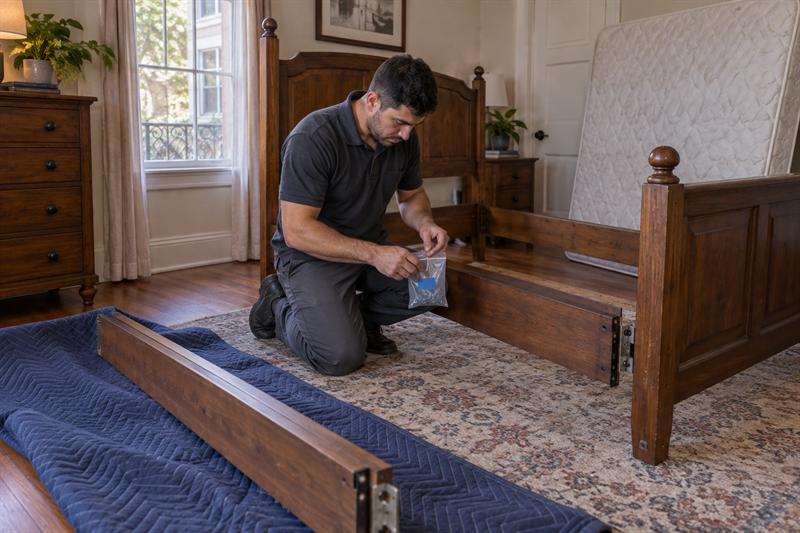
Office chairs with casters: remove the casters and wrap them in a small box or plastic bag. The base is the fragile component, not the seat. Modular desks: remove the top panel, pedestal drawers, and cable management grommets. If the desk will sit in storage for more than 48 hours, secure the pedestal to the top so it does not shift during transport.
Bookshelves: remove drawers or sliding shelves. Pack books horizontally in boxes while the shelving is in transit, not vertically, to reduce wobble. Do not disassemble items that require specialized tools or that the employee has not been trained to reassemble. Flag those components for the moving crew or a specialist handler.
Protect Screens, Furniture Edges, and Mechanical Components
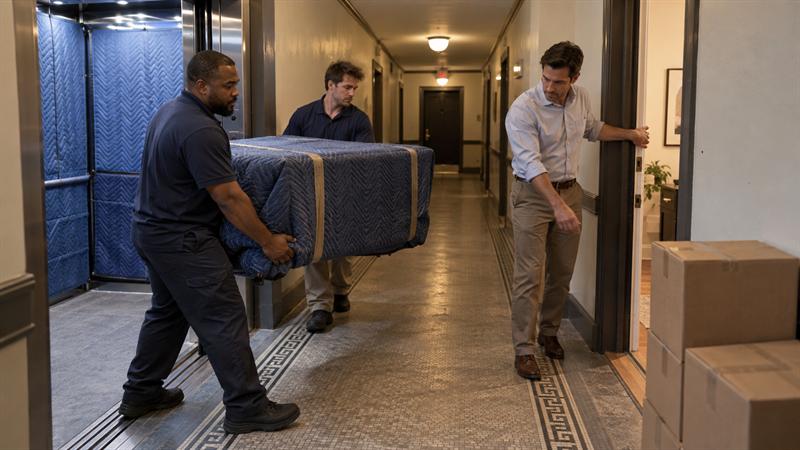
Monitors and display screens: use the original packaging if it is available. If not, wrap the screen in bubble wrap, place it screen-side up in a padded box, and label “FRAGILE, SCREEN SIDE UP” on all visible sides. Furniture edges and corners: use furniture blankets or moving pads, and tape them in place with packing tape so they do not shift during transport.
- Wrap furniture edges and corners in furniture blankets or moving pads
- Tape pads in place so they do not shift during transit
- Label all wrap and padding sides for the unloading crew
Mechanical components such as server fans, printer rollers, and copier toner paths: follow the manufacturer’s transport instructions. If the equipment is under warranty, confirm whether the warranty requires professional handling for relocation. Thin bubble wrap can tear during a full truck load, so invest in quality wrapping material for anything with a glass surface, a rotating component, or a toner or ink system.
Photograph Setups for Faster Reassembly
Before any cable is unplugged, photograph the setup from three angles: front of the desk, back of the monitor and cable panel, and a close-up of the switch or patch panel connections. Name the file with the room and desk number, for example “Desk-07-Back,” so the person reassembling on the new site can find the reference quickly.
For the IT infrastructure, photograph the network switch panel, the UPS connections, and any custom cable runs before disconnection. Share these photos with the IT lead and the moving crew the evening before the move. Extended IT downtime after a move often comes from the cable layout rather than the equipment itself: if no one documented the back of the patch panel, reassembly can run far longer than it should.
Identify Fragile or High-Value Items for Special Handling
Create a “special handling” list before the move. Include monitors, large-format printers, filing cabinets full of records, conference audio systems, and any item that would be costly or disruptive to replace. Flag these items in the pre-move brief given to the moving crew and confirm whether their standard service covers the item type or whether additional handling is needed.
For very high-value or irreplaceable items—original architectural drawings, trade-show displays, specialized lab or manufacturing equipment—a separate transport arrangement is often the correct call rather than loading them into a standard moving truck. A short walkthrough with the crew the day before the move prevents loading-day confusion over how a specific item should be handled.
Coordinating Employees, Movers, and Building Requirements
Create a Simple Day-of Sequence
Define the sequence before move day and write it on a single page. Print copies for the moving crew lead, the internal coordinator, and the building manager. Build in 15 to 30 minute buffers between each phase.
- Final walk-through and photo confirmation at the old site
- Movers arrive and load Day-One boxes first (Priority Tier 1)
- Remaining boxes and equipment loaded in department order
- The truck moves to the new site
- Day-One boxes unloaded and placed first at the new site
- Equipment placement per the special handling list
- IT reconnection and network verification
- Employee arrival and desk setup
Assign a single internal “move captain” who is the only point of contact for the moving crew on the day. This person has authority to make small decisions on the spot: “Put the backup printer in the supply closet, not the conference room.” When multiple people are giving the crew instructions at once, the sequence breaks down and loading time increases.
Define Who Handles Access, Egress, and Room Placement
Access: Who has keys, fobs, or badges to both buildings? Who meets the truck at the loading dock? In a multi-tenant building, who calls the freight elevator? Egress: Are there one-way traffic patterns, loading-dock time windows, or street-parking restrictions that affect where the truck can stop? In dense urban areas, a truck that cannot pull close to the entrance adds significant time to loading because every box gets carried an extra distance.
Room placement: Who tells the crew “this box goes to Room 204, desk on the left”? If no one is in the new building directing placement, the crew stacks boxes in the first available space, and the sorting work falls on the team during their first workday. Have a coordinator present at both the origin and the destination from the start of loading to the end of unloading.
Prepare a Short Brief for the Moving Team
One page. Include the following:
- Old and new addresses with access instructions (dock code, elevator reservation number, parking location)
- Contact name and phone for the move captain
- The day-of sequence in numbered order
- The special handling list with any specific wrapping or placement instructions
- Priority tier definitions and which boxes are loaded first
Note building-specific constraints: no freight elevator on the second floor, loading dock closes at a set time, weight limits in the hallway. Confirm what is included in the service, truck size, crew count, packing materials, insurance coverage, and what is not. For a breakdown of what a professional packing crew typically covers versus a DIY approach, see professional packing vs. DIY. Send the brief the day before the move and confirm receipt by phone or text.
Account for After-Hours Moves or Restricted Access Windows
If the move falls outside standard business hours, confirm overtime access, after-hours elevator reservations, and parking permits in writing before the week of the move. Plan for the employee arrival the next morning: will desks be set, monitors plugged in, and Wi-Fi active? If not, communicate a realistic “fully operational” time so the team does not arrive to an empty room.
For restricted-access buildings, law offices, medical suites, and government-related spaces, build in the time for badge deactivation at the old address and badge activation at the new one. Keep a charged phone, confirmed access, and a contact list ready for the period after the crew leaves and the team arrives. This is the window where small problems become the reason the first workday starts later than planned: a missing key fob, an elevator that requires a code, or a loading dock that closed early.
Common Office Move Mistakes That Create Delays
Waiting Too Long to Assign Ownership
A project with a date but no owner per room or department is a reliable source of delay. When no one owns “the finance team’s boxes,” those boxes get packed last, labeled generically, and placed in the wrong room on the new site. The sorting work that should have been handled during the move carries over to Monday morning while the team is trying to find their client files.
Assign ownership no later than three weeks before the move. Reconfirm at the one-week mark. This is one of the easiest risk reductions in the preparation process.
Underestimating IT and Connectivity Setup
Network cabling, wireless access points, VoIP phones, and printer connections are not “just plug in” situations in a new building. If the new site’s IT infrastructure is not provisioned and tested before the moving truck arrives, the first workday becomes a setup day. Staff sit at desks with monitors that are not connected to a network, phones that have not been registered, and access that has not been configured.
Confirm with the IT provider that the network, phones, and any cloud-based access are provisioned early in the preparation window. Budget two to four hours of IT setup time on day one. If the IT infrastructure will not be operational on move day, adjust the move date or arrange a temporary connectivity solution before the team arrives.
Leaving Sensitive Files or Supplies Unclear
Contracts, client files, HR records, and financial documents need a named recipient, a locked container, and a transport protocol communicated before the boxes are loaded. If the moving crew is not told that a specific box contains restricted material and must not be opened or left unattended, the issue can move from logistics to compliance. That can create post-move compliance questions that were not part of the original plan.
For offices handling regulated data, confirm with the appropriate compliance or legal contact whether the relocation triggers any specific handling requirement. Resolve this in the planning phase, not on loading day.
Not Planning for a Staging Area
Many office moves generate enough volume that the receiving space cannot absorb it all on day one. Without a pre-arranged staging area, boxes can pile up in corridors, block egress paths, and slow down loading and unloading crews. If the new office is still under fit-out—carpeting not anchored, desks not bolted—the overflow has to go somewhere, and that somewhere needs to be confirmed before the move, not during it.
Confirm the staging arrangement in writing with the property manager and the mover at least one week before the move. See how moving and storage services work together for details on what goes to storage versus what goes directly into the new space.
When Professional Packing and Commercial Moving Support Help
How Professional Packing Changes the Preparation Workload
Professional packing shifts the labor of wrapping, boxing, labeling, and loading to a trained crew. Internal staff stay available for IT coordination, client communication, and personal item decisions instead of spending two days packing boxes. The crew brings the materials, the methods, and experience with the specific item types in the office: office chairs, modular desks, monitors, copiers, and the cables that connect them.
The trade-off is cost and coordination dependency. The crew needs to be on-site at a confirmed time, with access, with a brief, and with a clear destination for each room. For small offices under ten desks, a hybrid model often works best: the professional crew handles furniture, equipment, and heavy boxes, while staff handles personal items and Day-One supplies.
When to Use Short-Term Storage
Short-term storage is the correct tool when the old lease ends before the new office is ready, the new space is still under fit-out, the move is phased over multiple days, or the total volume exceeds what the new site can absorb on day one. It is not the correct tool for items needed daily. Active client files, the main copier, and the IT server should not sit in a storage unit for an extended period.
Confirm the storage unit’s access hours, climate control, and security terms before committing. In a humid coastal city like New Orleans, uncontrolled moisture can affect paper documents, electronics, and fabric over time. Budget storage in increments and set a retrieval date tied to a specific fit-out milestone, not a vague “when the office is ready.”
How to Evaluate Fit for a Small Office Relocation
A small office, five to 25 desks, does not need a full corporate relocation team. It does need a moving crew that understands building access, furniture protection, and IT coordination. Evaluate the mover on three criteria: whether they publish their hourly packages and include protective supplies in the rate, whether they can confirm a specific crew size and arrival window, and whether they have handled office equipment rather than only household goods.
Ask for a written scope that names the truck size, crew count, included materials, and any additional-fee items: stairs, after-hours work, oversized equipment. A published hourly rate with supplies included is easier to compare and explain to your accounts team. An estimate that adds charges for wraps, pads, and tape after the truck is already on site leaves less clarity in the budget.
If your office has more than ten desks, IT infrastructure that requires a coordinated disconnection and reconnection sequence, or a building access window that is shorter than the time it will take to load and unload the full inventory, a professional moving crew is not a luxury. It is often the difference between loading inside the access window and running out of time. This is the point where preparation shifts from a planning task into an operational decision. The signs that a professional crew is needed:
- The building access window is limited and the office has a significant number of desks
- IT equipment requires a coordinated disconnection sequence and reconnection on day one
- The team is mid-cycle on a client deliverable and cannot spare internal labor for two days of packing
- The office includes specialized equipment: copiers, server racks, conference audio, lab benches, or trade-show displays
At H and U Express Moving, the hourly packages for commercial moves include the protective supplies that office equipment actually needs: furniture blankets, padding, straps, and labeling materials. The rate you see is the rate that covers those materials, so wraps and tape are not added as a separate line item at the end of the job. For a small office in New Orleans, that level of preparation means a crew scheduled for a confirmed start time, a plan to load inside the access window, and a clear plan for the team to be at functional desks by the next workday.
Key Takeaways
- Confirm the move timeline, building access, and loading constraints in writing before any packing begins.
- Assign a department lead for every room or functional team at least three weeks before the move and reconfirm at the one-week mark.
- Communicate the move to employees in two stages: a timeline announcement, then a detailed packing and scheduling brief one to two weeks out.
- Label every box with room, contents, and priority tier. Maintain a master tracking list.
- Photograph workstation setups, cable connections, and desk configurations before any disconnection. Share the photos the evening before the move.
- Create a one-page day-of sequence and appoint a single move captain to manage the moving crew.
- Identify whether professional packing, short-term storage, or special-handling support is required based on office size, equipment type, and timeline constraints.
The approach H and U Express Moving takes with commercial relocations is built around the assumption that the office is an operating system, not a storage unit. The preparation plan protects the workflow, not just the furniture. The crew arrives with a confirmed sequence, the correct truck for the volume, and protective supplies already accounted for in the rate. The move captain has a one-page brief, the department leads have their assignments, and the IT reconnection has a scheduled slot within the access window. That is what a prepared office move looks like from the loading dock to the first morning at the new site.
Frequently Asked Questions About Preparing for an Office Move
How far in advance should I start preparing for an office move?
Start the full plan three to six weeks before the move date. That window covers confirming the building timeline, sending the initial employee announcement, completing the room inventory, and scheduling any IT or infrastructure work at the new site. Workspace-specific preparation—packing, labeling, IT disconnection, and the second employee communication—lands in the two-to-three-week window. The one-week-out deadline is for the written brief to the moving crew, the building access confirmation, and the final walk-through.
For a small office under ten desks with limited IT infrastructure, three weeks can be sufficient if the move is a single-day event. For larger offices, phased moves, or situations where the new space is still under fit-out, six to eight weeks gives enough room to coordinate storage, IT provisioning, and building access without compressing the preparation into the final weekend. The factor that changes the timeline the most is not the number of boxes but the IT and network setup at the new site. If that provisioning is not confirmed in the first week of the plan, the rest of the schedule can build on a gap.
Do my employees need to pack their own desks, or should a moving crew handle it?
The common approach for small and mid-size offices is a hybrid model. Staff handle personal items, Day-One supplies, light contents, and items they know the layout of. A professional crew handles furniture disassembly, heavy equipment, monitors, structural components, and anything that requires padding, strapping, or a two-person lift.
The decision changes based on three factors. Office size: under ten desks, the hybrid model often works because the team already knows the layout. Between ten and fifty desks, a professional crew for furniture and equipment plus staff for personal items can keep the workload balanced. Above fifty desks, full professional packing often makes sense. Equipment type: an office with standard desks and a couple of monitors is a different risk profile from one with a server rack, a large-format copier, and a conference audio system. And operational bandwidth: if the team is mid-cycle on a client deliverable, pulling multiple people into packing for two days is a real cost that the project schedule will absorb.
What should we do about IT equipment and network setup on move day?
IT equipment should usually be the last item disconnected at the old site and the first item reconnected at the new site. Confirm with the IT provider that the new site’s network, cabling, access points, and phone systems are provisioned and tested before the moving truck arrives. Photograph all cable runs and switch connections before disconnection. Share those photos with the IT lead and the moving crew the evening before the move.
Budget two to four hours of IT setup time on the first day at the new site. If the building’s cabling is not in place, the first workday can become a setup day: laptop-only work, phone reconfiguration, and manual file transfers. If the IT infrastructure will not be fully operational on move day, adjust the date or arrange a temporary connectivity solution so the team is not sitting at new desks with no network access. A delay in provisioning during the preparation window can show up as a recovery period that stretches beyond the first day.
How should we handle sensitive or confidential files during an office move?
Remove sensitive files from shared workspaces and place them in a lockable container: a metal box, locked briefcase, or sealed bag. Label the container with the recipient’s name and “Restricted, Do Not Open.” Have the recipient or the move captain transport it directly to the new site rather than loading it into the moving truck with the general inventory.
For offices handling regulated data in medical, financial, or legal contexts, confirm with the compliance team before the move whether the relocation triggers any specific handling requirement, documentation obligation, or notification step. This is a compliance question, not a logistics question, and it should be resolved in the planning phase, not on loading day. The distinction that matters is between a fragile item that breaks if dropped and a restricted item that can create a compliance issue if it sits in an unsecured location for even a few hours during the move. These are different risk categories and they call for different handling.
What if the new office is not fully ready when the move date comes?
This is the scenario short-term storage is designed for. If the old lease ends before the new office has its carpeting anchored, desks bolted down, or IT cabling tested, overflow goes into a climate-controlled storage unit with a defined retrieval date, not into a hallway where it blocks egress or the loading dock.
Plan the storage arrangement before the move. Confirm the unit’s access hours, climate control, and security terms. Set a retrieval date tied to a specific fit-out milestone, not a vague “when the office is ready.” In a humid coastal environment, uncontrolled moisture can affect paper documents, electronics, and fabric over time. Only Day-One essentials load into the new office on move day. Everything else goes to storage and is retrieved as each room or floor becomes usable. Confirming the storage arrangement in writing with the property manager and the mover at least one week before the move is what separates a contingency plan from a last-minute scramble.
Do we need a permit or special approval for the moving truck in New Orleans?
A standard office move involving one or two moving trucks often does not require a municipal permit for the truck itself, but local parking and traffic rules still apply. What requires advance confirmation is building-level access: loading dock time windows, freight elevator reservations, after-hours entry codes, and parking for the truck within a workable distance of the entrance.
One situation that can trigger a city-level requirement is an oversize or multi-truck operation on a narrow one-way street or in a historic district with parking restrictions. A step-deck truck, a lift gate on a tight corner, or a block that requires a temporary lane closure may need a local road-use or parking permit. This is uncommon for a standard office relocation but worth confirming if the building entrance is in a constrained area. The practical standard: confirm access, parking, and elevator logistics with the property manager at both locations at least two weeks before the move. Get the confirmation in writing. If the move is after-hours, confirm the overtime access and badge protocol in the same communication.
Conclusion
A core problem in many office moves is not the physical act of loading a truck. It is the absence of a sequence: no one owns a specific room, the labels are generic, the IT setup is an afterthought, and the day-of plan is a set of good intentions rather than a written order of operations. When these gaps exist, the move can extend past the access window, the first workday can become a recovery day, and the team can spend the first week at the new site sorting through boxes instead of working through its to-do list.
Addressing those gaps usually takes three to six weeks of structured preparation. The timeline is confirmed, the employees are assigned and communicated with, the workstations are documented and labeled, the equipment is protected and sequenced, and the day-of plan is a single page that the move captain, the crew lead, and the building manager are all holding. That preparation gives the move the best chance of staying inside the window and gives the team a clear path to functional desks by the next workday.
The next step is concrete: walk the office within the next 48 hours. Count the desks. Flag the equipment. Name the move captain. Identify which items are Day-One and which can wait. If the office has more than ten desks, IT infrastructure that requires a coordinated disconnection, or a building access window shorter than the time it will take to load the full inventory, the preparation calls for a professional crew with the correct truck, the right crew size, and protective supplies already in the rate. The full office moving checklist covers the planning steps from lease signing through day one, and the packages at H and U Express Moving include protective supplies in the published rate, so the budget is easier to compare. Start with the walk-through. Everything else follows from that first hour in the rooms.